


Ever wondered if a digital map can really lead you through the backcountry? GPX maps are like clear footprints on your phone. They mark every twist and turn on a hut circuit. With up-to-date route details right at hand, you can follow a safe and sure path through the mountains. Today, we explore how these digital files become your trusted guide, blending modern tech with real mountain know-how for your next hut adventure.
Planning and Following Hut Circuit Routes with GPX Maps

A GPX file is like a digital journal that keeps track of your route details, latitude, longitude, altitude, and key waypoints. You can download it in formats like .gpx, .kml, or .kmz. Once you load the file and switch on your device’s GPS, your route is ready to use offline. This makes it a handy tool when planning your hut circuit.
Using a GPX guide helps you set out a clear and safe circular trail. Many hut circuit planners trust these files because they give exact route data that builds confidence. Follow the blue trail on your GPX guide to see how your current altitude matches the stored data.
Think of your GPX file as a shelter circuit blueprint. It shows you a detailed guide before you begin your trek. For example, check that your app works with the file format you have. This small step keeps your digital map working smoothly with offline maps.
Remember, the GPX maps in hut circuit apps offer real-time data along your route. These apps are quite reliable, though not perfect. That’s why it’s smart to compare your waypoint data on an offline topo map. This gives you a clear preview of the terrain ahead.
Finally, adjust your circuit plan by comparing your GPX track with traditional paper maps or other digital references. Doing this double-check prepares you for any surprises and builds your confidence as you move through the mountains.
GPX-Compatible Apps for Hut Circuit Routes

A solid mobile app can really simplify your hut circuit adventure. A good GPX app turns your GPX file (a map file for your phone or GPS) into an easy guide. Top choices like Gaia GPS, Locus Map, Oruxmaps, and BackCountry Navigator show you detailed topographic maps, satellite views, slope shading, and elevation profiles. Once you download the maps, you can explore them offline, keeping you safe even when there is no data.
Each app works with file types such as .gpx, .kml, and .kmz. This makes tracking your route simple and efficient. You can edit waypoints (key spots along your path) and share your tracks, too. Whether you plan to break your hike into shorter daily stages or add extra markers along the way, these apps help you manage every step of your journey.
Key options for offline map exploration include:
- Gaia GPS: Clear satellite images, easy-to-read elevation profiles, and smooth track recording.
- Locus Map: Fast waypoint updates and detailed topographic data.
- Oruxmaps: Intuitive track sharing along with strong offline performance.
- BackCountry Navigator: In-depth topographic maps with great slope shading.
These apps serve as your trusty guide for hut circuits, helping you plan your route with confidence and explore maps without a data connection. Enjoy clear, simple navigation on your next hut-to-hut adventure!
Downloading and Integrating GPX Files for Hut Circuit Routes

When you plan a hut circuit, you might find a file like "U_KiilopaaLuirojarviCircuit.gpx" on a trusted trail website. Download the file, save it on your device, and open it with your GPX viewer or another offline map app. Files in .gpx, .kml, or .kmz work without a live data connection once you load them.
Before you import the file, check the file extension. If your app does not open it, make sure the file ends with .gpx, .kml, or .kmz. Also, look at any error logs the app might show to help you spot issues.
Follow these steps to get started:
- Download the file from a trusted trail website.
- Save the file in a folder you can easily find.
- Open your map app and use its "import" function.
- If you see an error or the file doesn’t load, double-check the file name and its extension.
This simple process turns that digital file into a clear, ready-to-follow hut circuit plan. It's like having a map in your pocket without needing a live connection. Fun fact: One of our guides once downloaded a file with a wrong name and learned firsthand the value of checking file extensions.
Customizing GPX Maps for Daily Hut Circuit Segments
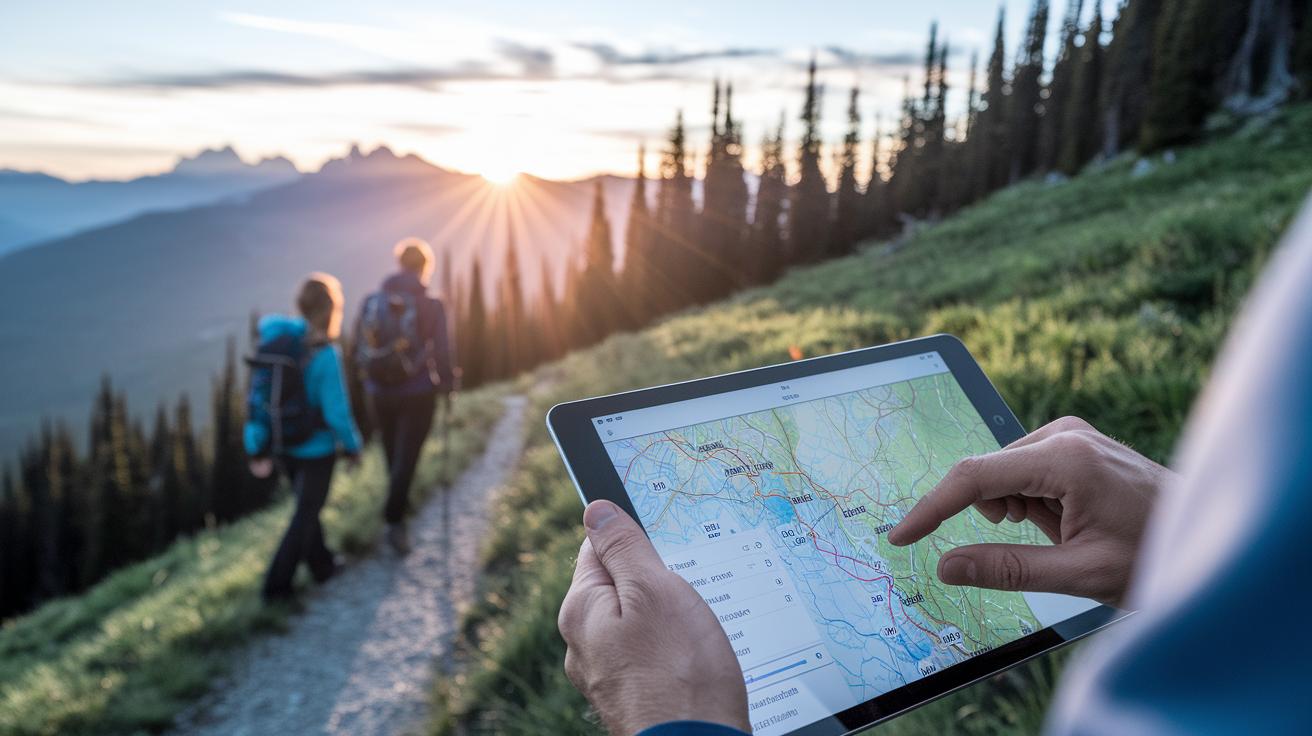
Break a long hut circuit into easy daily hikes by using tools like AllTrails Pro, Komoot, or Relive. These apps grab your GPX track (a file your phone uses for navigation) and split it into day-by-day plans. Start by choosing your daily distance and climb. Then, pick huts that might even offer half-board meals. This way, you create a simple shelter circuit for any loop trail you imagine.
You can also save your daily plan as a PDF or CSV to print out before you leave. Many GPX editors let you fine-tune your route by adding, deleting, or moving waypoints. For example, if you want an extra switchback on a steep downhill or want to remove an unneeded turn, a quick edit to your GPX file can make a big difference.
| Day | Distance (km / mi) | Elevation Gain (m / ft) | Hut Stop |
|---|---|---|---|
| 1 | 12 km / 7.5 mi | 400 m / 1312 ft | Mountain View Hut |
| 2 | 15 km / 9.3 mi | 500 m / 1640 ft | Riverside Inn |
| 3 | 10 km / 6.2 mi | 300 m / 984 ft | Summit Shelter |
To build your own trail plan, follow these steps:
- Set how far you want to walk each day and your climb target.
- Adjust waypoints to skip or include scenic spots.
- Choose huts that fit your level of daily exercise.
Check out the hut-to-hut hiking guide for more planning tips, and play around with your GPX edits to create a loop trail that suits your pace and style.
Verifying GPX Route Accuracy for Hut Circuit Routes

Before you head out, make sure to double-check your GPX file. This file holds the details of your hut circuit and keeps you safe on the trail. Compare the file’s elevation numbers with what your app shows, or use a trusted topo map (a map showing hills and valleys) from sources like the National Land Survey. It also helps to review a paper map along with your digital view.
Here’s how to check your GPX route:
- Look at your app’s altitude markers and match them with a topo map. For instance, if your app shows 1,200 m (about 3,937 ft), the paper map should show a similar value.
- Check that important spots, such as water sources and hut locations, are set at the correct coordinates. A small offset can lead you off track.
- Use slope-shading views in your app to spot steep parts. This visual check helps you avoid surprises like unexpected climbs or turns.
If your app crashes, try closing any background apps before opening it again. This simple trick may fix issues with the recording feature. And if something still seems off, manually check the coordinates against your paper map. Taking these easy steps means your digital route will closely match the real terrain you’ll face. Stay safe and enjoy the hike!
Logging and Managing GPX Tracks on Hut Circuit Routes

Recording your trail is key for a safe and fun hut-to-hut hike. Most apps let you start, pause, or delete your trail with simple controls. Your GPX file (a map file your phone uses) records every step, making it easy to follow your route. Each waypoint you add marks a key spot like a water source, a great viewpoint, or an emergency shelter. This builds a clear map of your circular hike.
When you record your track, keep these tips in mind:
- Start the record function as soon as you begin your hike.
- Pause or stop the recording when you turn back to avoid duplicate points.
- Mark waypoints for important features on the route.
- Look over your track later to note tricky parts or beautiful views.
To save battery and keep your track accurate, turn off any unused sensors and close background apps. This helps prevent the app from crashing or missing key data. Later, you can sort your track details by difficulty, duration (like a 2-day trek), or region. Keeping an updated GPX Orientation Guide means every part of your trip is clearly logged. All these steps work together to give you a solid electronic record and help you enjoy a worry-free hut-to-hut adventure.
Case Studies: GPX Use in Real-World Hut Circuit Routes

A Finnish guidebook author put her GPX skills to the test on a challenging route. She downloaded a file called “U_KiilopaaLuirojarviCircuit.gpx” and used her smartphone’s GPX Viewer (an app that shows digital map files) to follow the trail. She snapped clear screenshots to show how the file turned into a live digital route. Using what she calls a GPX Orientation Guide, she set her waypoints carefully and kept a precise record of her loop. Each waypoint was checked against a paper map to ensure the digital path matched the real rugged terrain. One misplaced waypoint once even led a seasoned guide off course – a clear reminder that accurate GPX data matters.
In the Alps, modern tech meets old-school trekking. With over 1,000 huts bookable online from mid-June to late September, a planner used real-time hut booking tools alongside GPX files to draw up a clear circuit plan. This smart mix reduced planning stress and improved safety by showing the trail on a digital map. The daily segments were flexible, letting the trekker adjust the route based on the weather and their own pace.
Both examples offer handy lessons. Breaking a long journey into manageable daily trips makes planning easier. Careful scheduling and checking each waypoint help keep the route safe. By blending digital GPX files with proven booking methods, you get a hut-to-hut trek that respects both the wild terrain and smart technology.
Final Words
In the action, you learned to download, customize, and verify GPX maps for hut circuit routes. We explored using apps to record tracks and adjust daily segments, plus ways to check elevation and waypoint accuracy. Small steps like editing files and logging details make your route safer and simpler. Every tip builds your confidence for a true mountain experience. Keep your gear ready and your spirit light, enjoy a stress-free, memorable trail.
FAQ
How do GPX maps help when planning hut circuit routes?
The GPX file records coordinates, altitude, and waypoints, enabling offline use and precise tracking for hut circuits. This support makes planning and following the route safer and easier.
What file formats do GPX maps support for hut circuits?
The GPX file is available in .gpx, .kml, and .kmz formats. This versatility lets you use the file offline on any device with GPS enabled for reliable route following.
Which GPX-compatible apps are useful for hut circuit routes?
The GPX apps such as Gaia GPS, Locus Map, Oruxmaps, and BackCountry Navigator import files, display topographic and satellite layers, and offer waypoint editing, making hut circuit planning more efficient.
How do I download and integrate a GPX file for my hut circuit route?
The GPX file is downloaded from a trail website and saved locally before opening in a compatible app. Check the file extension and error logs if it fails to load.
How can I customize GPX maps for daily hut circuit segments?
The GPX file is editable with tools that split long circuits into daily segments. You can add, delete, or move waypoints while setting distances and elevation gains for clear daily planning.
How do I verify the accuracy of a GPX route on hut circuits?
The GPX file’s data can be verified by comparing altitudes with topographic sources and checking waypoints against paper maps, confirming the route data matches the actual terrain.
How should I log and manage GPX tracks during a hut circuit?
The GPX file can be recorded using app controls that allow you to pause or delete tracks, while tagging waypoints for key spots and managing battery life through sensor settings.
What are some examples of GPX use in real-world hut circuits?
The GPX file has been applied in Finnish and Alpine hut circuits, showing how clear visuals and flexible daily segments support safe scheduling and real-time route tracking.
sildenafil for pediatrics
sildenafil for pediatrics
viagra near me
viagra near me
cenforce online kopen
cenforce online kopen
tadalafil vardenafil difference
tadalafil vardenafil difference
semaglutid tablett fass
semaglutid tablett fass
semaglutid i tabletform
semaglutid i tabletform
xenical 120mg cost
xenical 120mg cost
terbinafine antifungal treatment
terbinafine antifungal treatment
ketoconazole cellular mechanism
ketoconazole cellular mechanism
ketorolac tromethamine drug summary
ketorolac tromethamine drug summary
avanafil cost insights
avanafil cost insights
vardenafil safety concerns
vardenafil safety concerns
amoxicillin antibiotic guide
amoxicillin antibiotic guide
amoxicillin supplement interactions
amoxicillin supplement interactions
amoxicillin gi side effects
amoxicillin gi side effects
Peak Concentration Concepts
Peak Concentration Concepts
Food and Drug Absorption
Food and Drug Absorption
Sildenafil vs Cialis Onset Comparison Guide
Sildenafil vs Cialis Onset Comparison Guide
learn more about sildenafil
learn more about sildenafil